I made a football team availability app for our weekly matches
By Will Evans · Published
Every week our football chat turns into the same chaos. Someone asks who's playing. The replies come in out of order, then a few people change their minds. By the day of the match, someone is scrabbling through the messages trying to figure out who's supposed to be here.
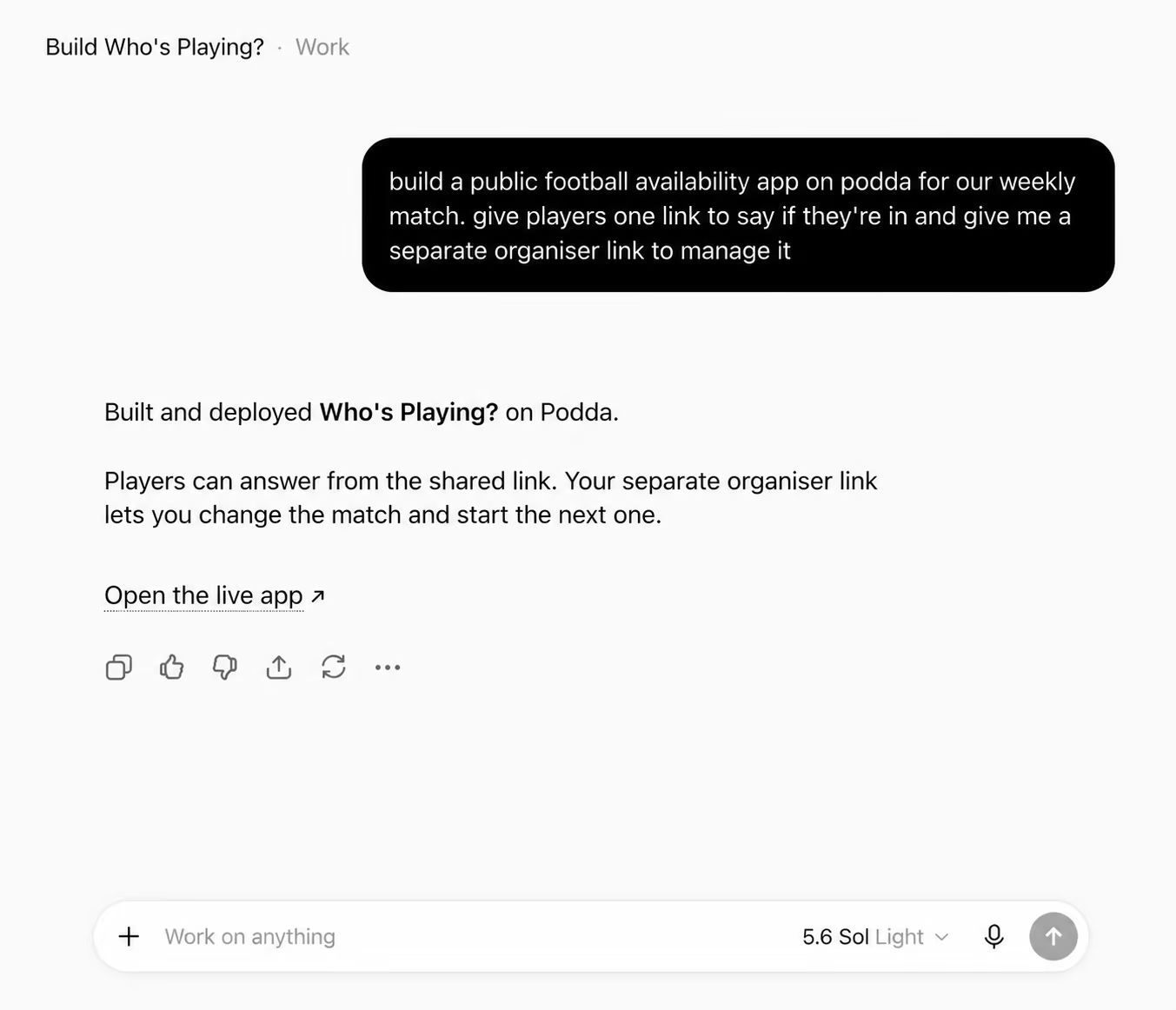
I wanted a player to open a link and say if they're in/out with one tap. I made a small app using Podda.
This is the prompt I gave to ChatGPT:
Build a public, mobile-first app on Podda called Who's Playing? for a football group. The organiser sets the group name, number of player places, match date, kick-off time and location. Give players one link for the group chat and give the organiser a separate link to manage it themselves. Players should answer from the shared link without making an account. Keep confirmed players in reply order and put extra In replies onto a waitlist. If a confirmed player drops out, promote the first waiting player automatically.
ChatGPT then gave me a link to the app on Podda so I could test it.
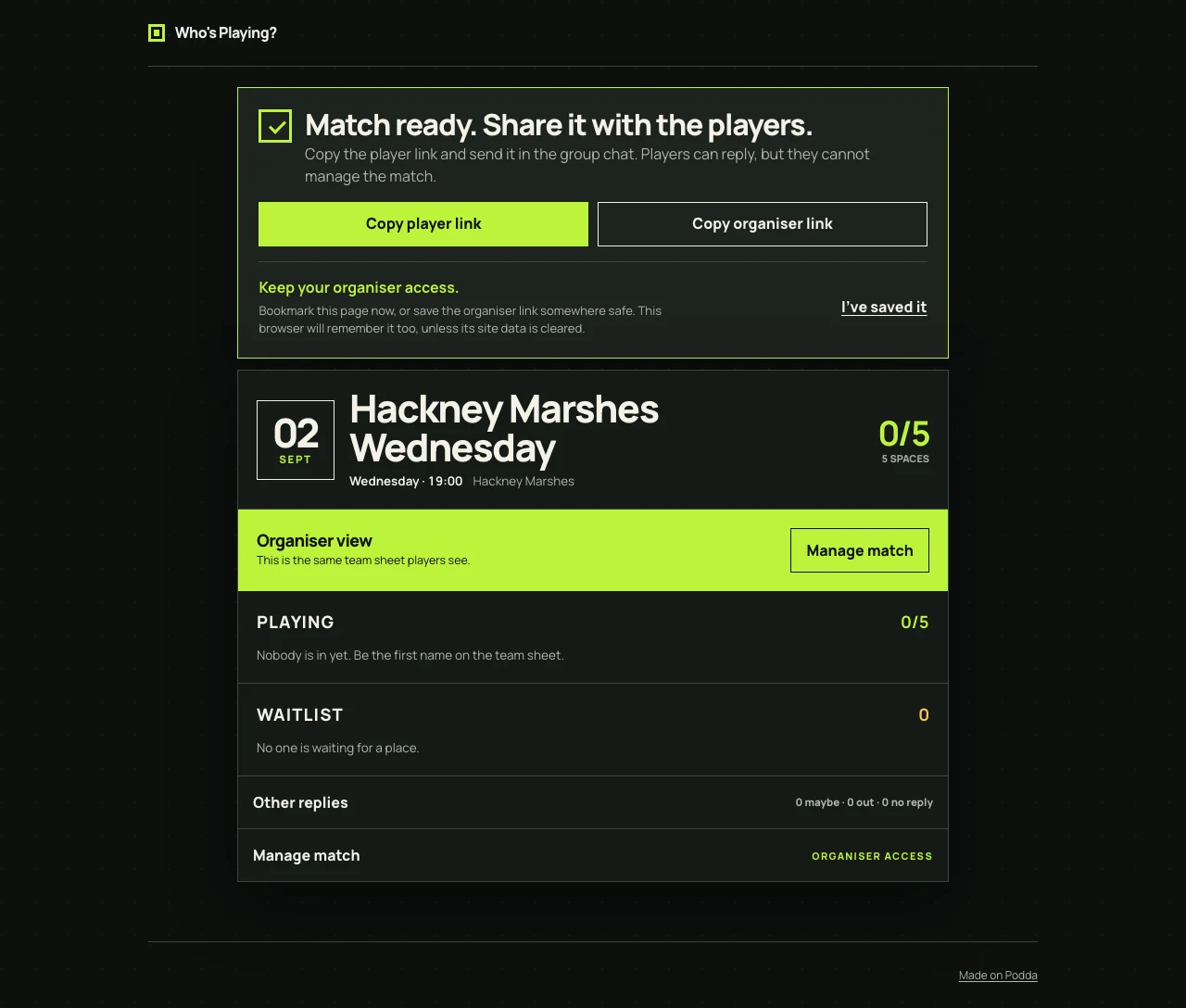
One link goes in the group chat. The other is for changing the match and starting the next one.
I missed something obvious in the first version. If the organiser lost their link, they lost the group. The setup screen now tells them to bookmark it, and the browser remembers it as a fallback.
The first screen was wrong
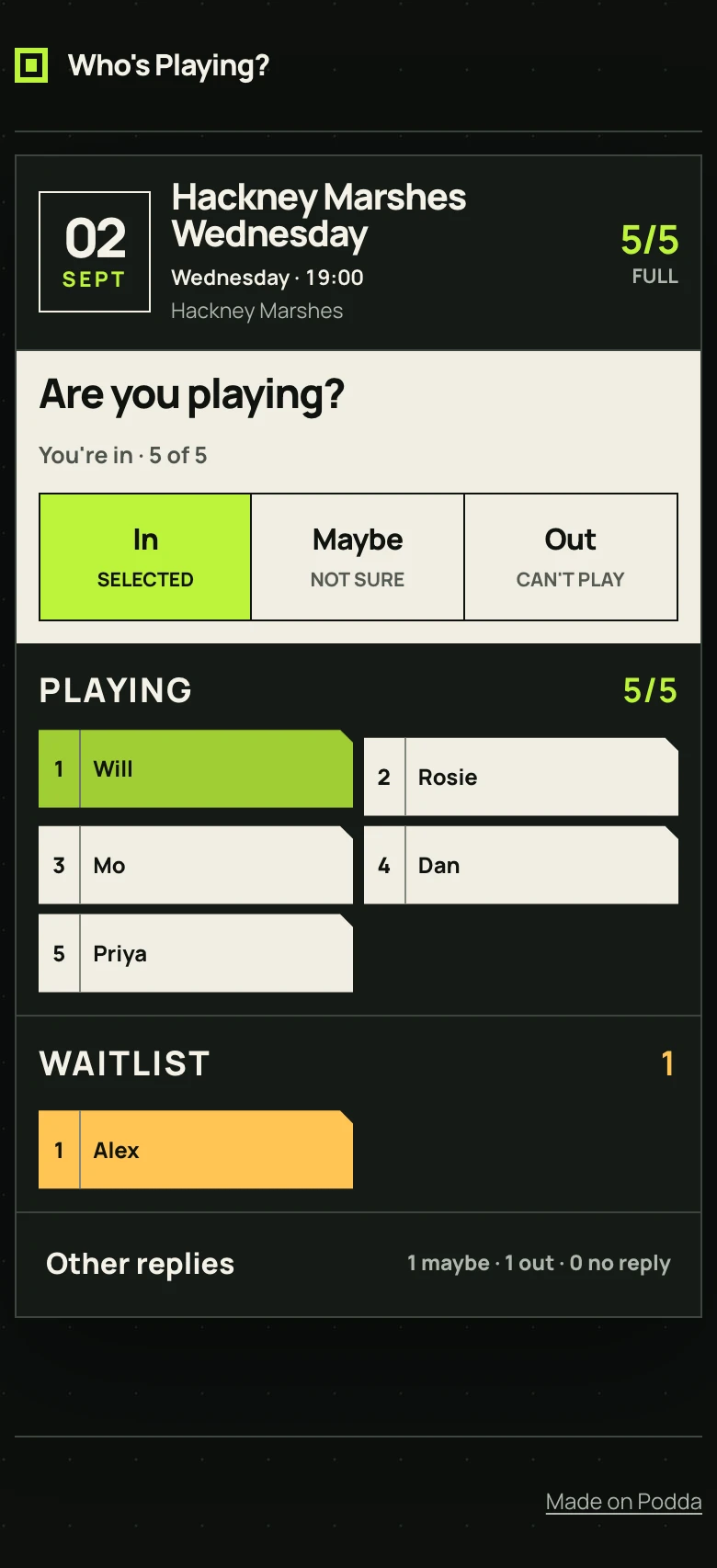
The first version spent several cards explaining the app before showing the answer buttons. I had made a landing page where the player screen should have been.
Most of that screen went. A player now enters their name once. They tap one option and they're registered for the match. The match details and current side are underneath. When the places fill, the waitlist appears below them.
I used my own first name in this screenshot and made up everybody else. I didn't want to publish my actual team's availability.
The waitlist
If there are five places, the first five people who reply In make the side. The next person is waitlist number one. If somebody drops out, that person moves up automatically.
The rule is boring on purpose. Maybe and Out remain visible without affecting the queue. The organiser can change the number of places, but not the order in which people replied.
The same link works next week
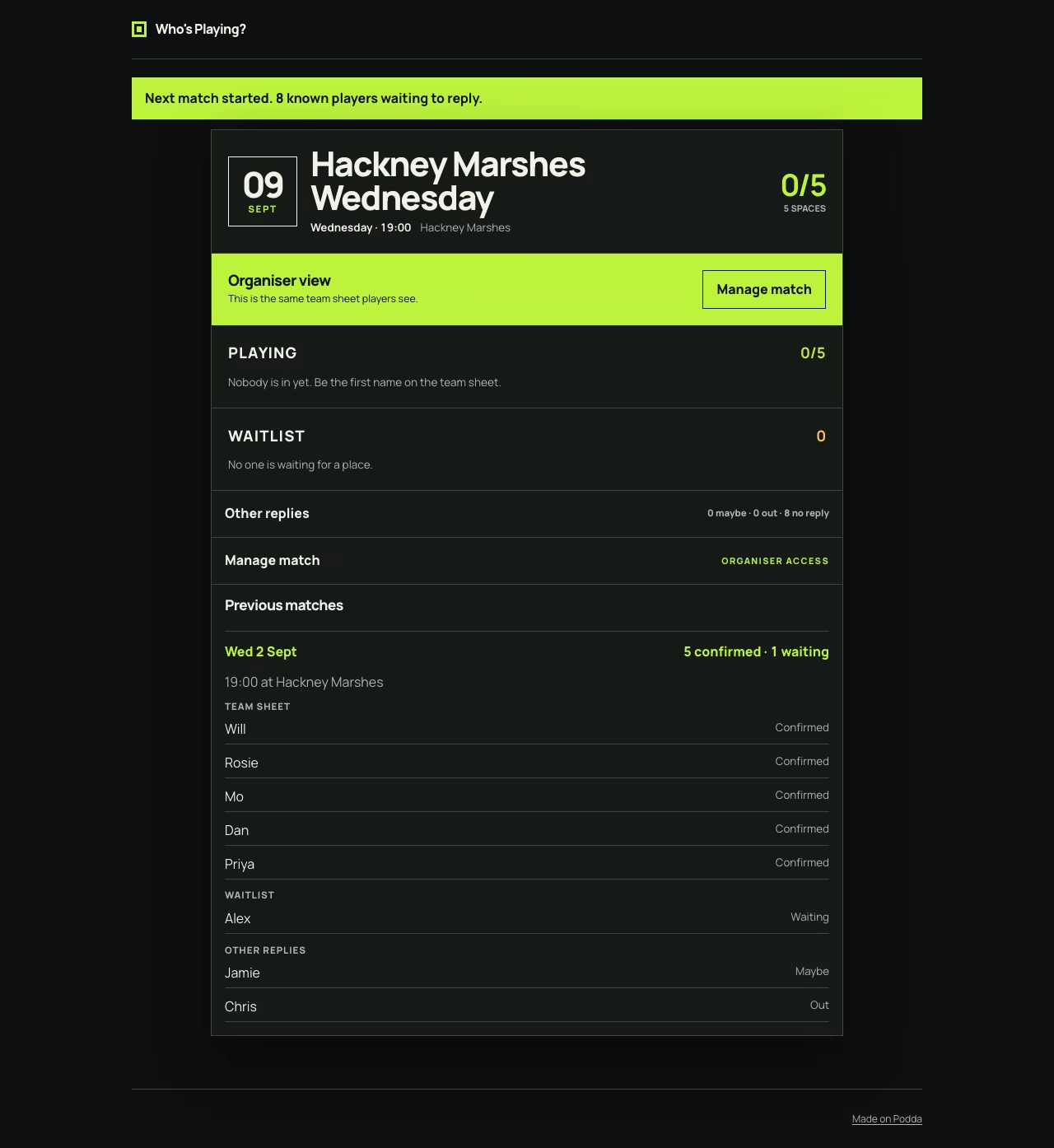
The organiser clicks Start next match when there is a new date. The player link stays the same. Previous names move to No reply yet, and the old team sheet remains below the current match.
It keeps the latest six matches. I don't want it to quietly become a season-management app.
Why this instead of Spond or TeamStats?
I can make it work exactly how we want. I was talking to one of my teammates about it and he immediately asked if we could track goalscorers across the season, then turn that into a leaderboard with each player's stats.
I can go back to ChatGPT with that request and add it to the same app. I can change the whole thing to our team colours too.
Make your own version
You can do the same with your team. Give the app URL to ChatGPT or Claude and describe what you want changed.
First create a Podda account. Connect it using the ChatGPT guide or Claude guide, then paste this into the chat:
Recreate https://peachy-turtle.apps.podda.app/ on my own Podda account, but add score tracking across the season so our group has a player leaderboard. Keep the one-tap availability screen and current team sheet. Keep the separate organiser link. Put extra In replies onto the waitlist in reply order. Reuse the group for each new match. Make it public so players can open the shared link without signing in.
Change the leaderboard part to whatever your group currently keeps by hand. You can also ask for an invite-only version rather than a public link.
If you want to try out the app for your team, click here to open it and start a group.
Last updated 26 August 2026.